
Unreliable smart lights that flicker or fail to respond, laggy security cameras with delayed video feeds, and apps that frequently show “device offline” can quickly turn a smart home into a frustrating experience. Most homeowners blame the gadgets themselves, but in reality, the main problem is often poor Wi‑Fi coverage and an underperforming network setup. Without a strong, well-planned network, even the best smart devices can struggle to communicate, causing delays, dropouts, and inconsistent performance throughout the home.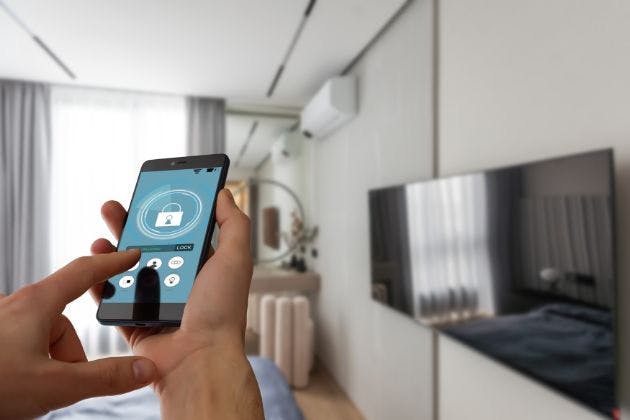
Smart home headaches that start with the network
Every connected device in your home is fighting for space on the same network. When that network is weak, crowded or badly planned, you see glitches long before a total failure.
Before blaming a bulb or camera, it helps to look at some common network-related symptoms. These often point to simple fixes or clear signs that it is time to bring in a professional.
Lights or blinds that respond instantly in one room but lag badly in another
Cameras freezing or dropping to low quality when other people are streaming
Multi-room audio that buffers when you walk between rooms
Apps frequently showing “offline” even though the internet seems fine
All of these can stem from Wi‑Fi dead spots, interference, or trying to run a full smart home on a basic router that was only designed for a handful of devices.
Router placement, dead spots and interference
Your broadband router is usually the heart of your home network. If it is hidden in a cupboard or stuffed under the stairs, your Wi‑Fi is starting at a disadvantage.
Wi‑Fi works best when the main router or primary access point is as central and open as possible. Brick walls, pipes and metalwork all reduce signal strength, so the further the signal has to travel, the weaker and slower it gets.
Things in your home that weaken Wi‑Fi
Modern homes introduce extra challenges that many people do not realise. Foil-backed insulation and underfloor heating can be particularly disruptive, effectively blocking or reflecting wireless signals.
Large mirrors, aquariums and metal cabinets can also create “shadows” in your coverage. The result is classic dead spots: parts of the house where smart devices constantly drop off the network.
Quick checks you can do today
You can run a few simple tests to see how serious the problem is:
Stand where your smart devices live and run a speed test on your phone
Repeat the test in the same spot, once on 2.4 GHz Wi‑Fi and once on 5 GHz if your router supports both
Note any areas where the speed falls dramatically or the connection drops entirely
If your phone struggles in those locations, your fixed smart devices will struggle even more, as they often have smaller aerials and cannot move to find a better signal.
Too many devices for a basic Wi‑Fi setup
Most consumer routers were built with light home use in mind: a few phones, a laptop and a TV. A modern smart home can easily have 40 to 100 devices connected, all chattering away in the background.
Each smart plug, bulb, speaker, sensor and camera is another device to manage. Even if you are under the router’s technical limit, the constant traffic can overload cheaper equipment and cause random dropouts.
Identifying your network “noise makers”
Some devices are noisier than others. Video doorbells, 4K security cameras and streaming boxes all push a lot of data across your network, especially if they upload to the cloud.
If your cameras freeze when someone starts a film, or your audio stutters when multiple TVs are on, it is a sign that you are hitting bottlenecks and need a stronger network design, not just more gadgets.
Wi‑Fi vs a proper wired backbone
Wi‑Fi is brilliant for phones and tablets, but it should not carry absolutely everything. A well-planned smart home uses a wired backbone so that Wi‑Fi is reserved for truly mobile or hard-to-wire devices.
A wired connection is faster, more stable and does not suffer from interference in the same way. It also frees up wireless capacity for the devices that must use it.
Key devices that should be hardwired
If you have the option, the following equipment is far better connected by cable than Wi‑Fi:
AV racks and media cabinets benefit a lot from wiring; they often hold your streaming boxes, amplifiers and control processors. TVs, NVRs for CCTV, and wireless access points themselves are also ideal to hardwire, reducing overall strain on your Wi‑Fi.
Even in an existing property, it is often possible to retrofit cabling to strategic locations. A few well-chosen network runs can transform reliability in the rooms you use most.
Keeping things secure with guest and separated networks
As you add more smart home devices, keeping your network secure matters more. Many routers allow you to set up a guest Wi‑Fi network that keeps visitors’ phones away from your main devices.
In more advanced setups, VLANs (virtual local networks) separate different types of equipment, such as your work computers, smart home kit and guest devices. This limits how far a compromised device can reach.
Even if you do not dive into VLANs yourself, it is worth at least using a guest network for visitors and changing default passwords on every smart device you own.
Reliable local control when the internet drops
A well-designed smart home should keep working even when your broadband disappears. This is what people mean by “reliable local control”.
Your lights should still switch on, scenes should still run, and core functions like heating and alarms should respond instantly, because they are controlled within your home rather than relying on a distant server.
Systems such as Control4 or Lutron style integrated solutions are built around this idea. When they sit on a solid wired and Wi‑Fi network, you get faster responses, fewer apps to juggle and scenes that trigger reliably every time.
When to call a smart home and networking professional
There is a point where tinkering with router settings is no longer enough. If any of the following are regular frustrations, it is sensible to speak to an expert:
Security cameras or NVRs regularly drop offline or show “no signal”
Multi-room audio frequently buffers or goes out of sync
Smart devices in key rooms keep losing connection despite strong Wi‑Fi nearby
You are planning a renovation and want Control4, Lutron or similar integration
A professional survey can map your coverage, measure interference, review your wiring options and design a network that supports your current devices and future plans.
Planning your next steps
If you are just starting, focus on better router placement, basic Wi‑Fi checks and deciding which key devices should be wired. This alone can clear up many annoying glitches.
If you already have a house full of smart kit that is misbehaving, it is worth treating the network as the foundation rather than an afterthought. A solid backbone will support audio & visual systems, smart security and whole-home automation far more reliably.
Looks Lovely Limited can help with a home network health check or full smart home survey, aligning your Wi‑Fi, wiring and control systems so everything works smoothly together. To talk through your options or book a visit, call Looks Lovely Limited on 07939581540 and ask about network design, audio & visual services, smart security or complete smart home installation tailored to your property.
For a smarter home that simply works, start with the network and build the technology on top of that solid base.