
A well-set-up smart home should feel effortless and seamless, but it still needs regular care to stay secure, reliable, and easy to use. By adopting a few simple maintenance habits, you can prevent common glitches, protect your personal data from security risks, and ensure all your devices work quietly and efficiently in the background. Regular attention helps your smart home adapt smoothly as your routines change, keeping your home comfortable, safe, and stress-free every day.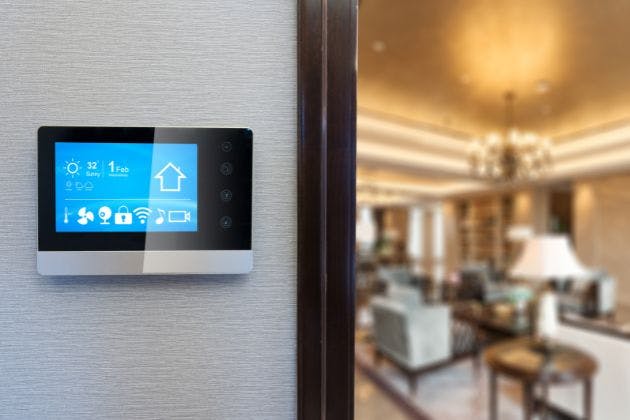
Keeping your network secure and up to date
Your router and home network are the backbone of every smart device you own. If they are not up to date, you are more likely to see connection issues and potential security risks.
Most modern routers can update their own firmware, but it is worth logging into the router interface every month or two. Check for pending updates, apply them, then restart the router at a quiet time so you do not interrupt anyone streaming or working.
Good password habits make a huge difference, too. Change default passwords on routers, cameras and hubs, and use strong, unique passwords for your Wi-Fi and smart home accounts. Adding two-factor authentication where available is a quick win for security.
Update router and modem firmware regularly
Use strong, unique Wi-Fi and account passwords
Limit admin access to trusted adults in the household
Remove logins for people who no longer need access
Managing users, cameras and notifications
Over time, people come and go, and devices change hands. It is worth reviewing who can control or view different parts of your smart home so you are not giving away more access than intended.
Check user lists in your smart home apps and remove ex-housemates, tradespeople or guests. For families, make sure younger children do not have full admin access that would let them disable alarms or change key settings.
Cameras and video doorbells need particular attention. Check your storage or subscription settings so recordings are kept for as long as you reasonably need them. If local storage is used, make sure memory cards or recorders are not full and are actually recording.
Doorbell and camera notifications are easy to ignore when they are noisy or unreliable. Once a month, press the doorbell and confirm that phones, tablets and smart speakers receive the alert. Adjust notification settings so they are helpful without being overwhelming.
Looking after sensors, remotes and AV equipment
Many smart home issues start with something simple, like a flat battery or an overheating cupboard. A little preventative care keeps the system feeling snappy and responsive.
Motion sensors, door contacts and handheld remotes often run on small batteries that can quietly drain over time. Check battery levels in your smart home app if available, and keep a small stock of the common battery sizes your system uses. Replacing them before they fail is far less frustrating than chasing random faults.
If you have an AV rack or cabinet with amplifiers, media players and network gear, airflow is important. Make sure vents are not blocked, dust is wiped away gently, and there is enough space for warm air to escape. Hot equipment can shorten component life and increase the chance of crashes.
Reviewing scenes and automations as life changes
Smart scenes and automations are only useful if they match how you actually live. When routines shift, it is worth revisiting the logic that controls your lighting, heating and audio.
If working patterns, school runs or sleeping habits have changed, check the schedules on your lighting, heating and security scenes. Update times, brightness levels and motion triggers so you are not walking into dark rooms or having lights turn off while you are still using a space.
It also helps to keep automations simple. If something is unreliable, try stripping it back to the basics and then adding complexity slowly. This makes it easier to see what is causing problems.
A simple ongoing maintenance checklist
Instead of tying tasks to specific seasons, you can group them into monthly, quarterly and annual jobs. That way, you can pick a routine that fits your lifestyle but still covers the essentials.
Monthly checks
Once a month, take a few minutes to confirm that the basics still work as expected. Test key automations, such as hallway lights on motion or “goodnight” scenes, and adjust timings if they feel too eager or too slow.
Check notifications from your alarm, doorbell and main cameras. Make sure alerts go to all the right people and that nobody is getting flooded with unnecessary pings that encourage them to turn alerts off.
Quarterly checks
Every few months, log into your router and main smart home controller to check for firmware or software updates. Apply updates one system at a time and give everything a restart so you can quickly spot any new issues.
Use this time to review user access, clear out any old guest accounts, and walk around the house checking that sensors, switches and remotes are behaving as they should. Swap any weak batteries before they die completely.
Annual checks
Once a year, carry out a deeper tidy up. Clean and inspect your AV rack or media cabinet, making sure cables are labelled and not tangled to the point where they are hard to trace.
This is also a good moment to stand back and ask whether your system still suits your lifestyle. You might decide to simplify scenes, add a new control point or retire old devices that are no longer supported.
Backups and simple documentation
A little documentation goes a long way when something goes wrong or you need a professional to help quickly. You do not need a thick manual, just a clear overview.
Keep a note of where your main controller, network switch and router are located, and which breakers or fuses control them. A simple sketch or system map showing how the main devices connect can save a lot of time in a fault-finding visit.
If your smart system allows it, back up the configuration after major changes. Store any login details and backup files safely, with at least one copy not on the same device that runs the system.
Signs your smart home needs a professional tune-up
Even with good maintenance, there are times when it pays to bring in an expert. Certain symptoms point to deeper network, configuration or hardware issues that are easier to solve with specialist tools and experience.
Apps are taking ages to load or respond to simple commands
Devices regularly drop off the network or go “unavailable”
Audio or video out of sync between rooms, or lip sync problems
Cameras are often offline, freezing or failing to record
Lighting scenes only partly triggering, or triggering at the wrong time
If you are restarting equipment more than you used to, or family members are losing confidence in the system, it is a clear sign that a professional health check would help.
Arrange a smart home service visit
Regular care keeps your integrated smart home secure, reliable and stress-free, but you do not have to manage it all alone. A professional review can tidy up old settings, improve network performance and make your automations feel seamless again.
Looks Lovely Limited can help with smart security, whole-home audio and video, and complete system health checks. To arrange a smart home service visit, call Looks Lovely Limited on 07939581540 or learn more about smart security and AV options on our smart security and audio/visual pages.